

How to add a cloud sectional sofa to your wedding registry

Instead of manually coordinating separate sofa gifts, add one cloud sectional sofa wedding registry entry through an external-product feature or a dedicated sofa fund, then confirm how guests contribute and who places the order. This 2026 guide shows you how to choose the configuration, publish a clear request, and prevent duplicate purchases.
- Sofatica suits couples seeking a machine-washable modular sofa for their shared home.
- For a cloud sectional sofa wedding registry, choose the configuration before publishing the gift request.
- Use an external-product entry for a specific sofa; use a wedding furniture fund when you want purchase control.
- Guest contributions and a retailer order are separate steps unless your registry explicitly connects them.
The one we would pick

Configuration: 4-Seater Sectional


Why this matters
A sectional is not a gift guests should have to piece together. Color, seating configuration, delivery address, and purchase responsibility all need to point to the same choice.
Sofatica is best for couples seeking a machine-washable modular sofa for their shared home. Start with Sofatica to identify the sofa you want, then use your registry to explain how guests can help you get it. A product listing is not itself a wedding registry or a contribution system.
The practical advantage is washable, modular seating. The trade-off is the planning: you still need to verify the exact configuration, care instructions, dimensions, and delivery arrangements before making the gift request public.
For your 2026 registry, separate three decisions: what you want, how guests give, and who orders. That separation keeps a furniture gift from becoming a group project with unclear responsibilities.
Before you start
- Registry access: Have permission to edit your wedding registry. Confirm whether your provider supports products from outside retailers, shared contributions toward an item, or a dedicated fund; use its current instructions for the exact controls.
- Sofa details and room measurements: Keep the product page, selected color, configuration, room measurements, and delivery destination together. Measure the intended seating area and the route through doors, halls, and stairs.
- The checkout gotcha: Confirm whether the registry processes a purchase, collects contributions, or sends guests to the retailer. Saving a sofa to a registry does not necessarily place an order or record an outside purchase automatically.
Choose the gift method before writing the entry. If several guests will contribute but your provider only supports individual purchases, a product bookmark alone will not create a shared furniture fund.
Sofa selection
Choose the configuration
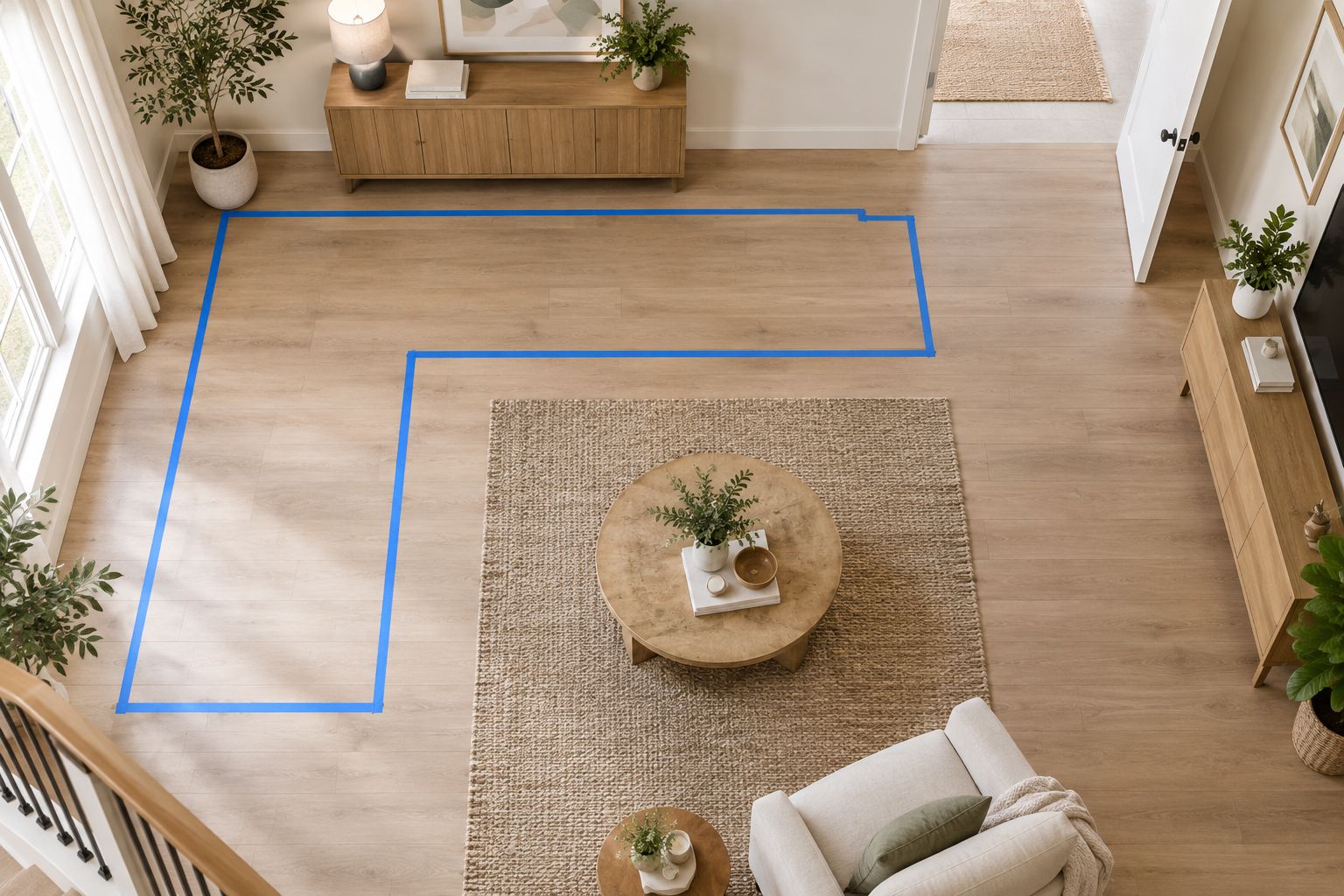
- Mark the proposed sofa footprint on your floor. Include space for doors to swing, furniture to move, and people to pass through the room.
- Compare the exact configuration against your measurements. Use the product's published dimensions rather than estimating from its seating label or photograph.
- Agree on the color and layout with your partner. Save the selected product page and record the choice in a shared planning note.
Expected result: You both identify the same sofa, color, and configuration without relying on a screenshot or a general description.
These two configurations illustrate the choice between a sectional arrangement and a corner arrangement. Neither seating label tells you whether the sofa fits your room; verify the actual footprint before selecting either.
| Configuration | Best for | Practical advantage | Planning trade-off |
|---|---|---|---|
| Washable Cloud Couch 4-Seater Modular Sectional White | Couples planning for 4 seats in a sectional arrangement | Identifies a specific seating configuration and color | You must verify dimensions and decide whether white suits your cleaning routine |
| Washable Cloud Couch 5-Seater Modular Corner Sectional Beige | Couples planning for 5 seats in a corner arrangement | Identifies a corner configuration and beige color | You must check how the corner footprint affects doors and walking routes |
Choose the measured fit, not the larger seating label. More seats do not solve a room-layout problem, and modular construction does not remove the need to check individual pieces and access dimensions.
Washable upholstery also needs a realistic care plan. Read the instructions for the specific sofa, identify which parts are machine-washable, and follow the stated washing and drying directions. Do not assume every upholstered component goes into the machine.
Registry method
Choose how guests give
- Open your registry's editing area and review its supported gift methods. Follow the provider's current 2026 help instructions rather than assuming another registry's controls apply.
- Select the method that matches your purchase plan. An external-product entry names a specific sofa; a dedicated fund lets you collect contributions and manage the eventual purchase.
- Establish who places the retailer order. Put that responsibility in your shared planning note before inviting guests to participate.
Expected result: You can explain both the guest's action and your action after the gift is received.
| Registry method | Best for | Advantage | Limitation to confirm |
|---|---|---|---|
| External-product entry | Couples with an exact sofa selected | Gives guests a specific product reference | Outside purchases might require a separate purchase-status update |
| Shared contributions toward an item | Couples whose registry supports group gifts | Keeps contributions connected to one furniture choice | Contributions do not necessarily trigger a retailer order |
| Dedicated sofa fund | Couples who want to place the order themselves | Separates gifting from furniture checkout | The entry needs a clear explanation of the intended purchase |
Use a dedicated sofa fund when you want to control the final order. Use an external-product entry when a guest will purchase the exact sofa and your registry can clearly show that it has been claimed or purchased.
Check the provider's contribution, transfer, and purchase-status rules before choosing. The useful feature is not simply the ability to display a sofa photo; it is the ability to keep guests informed about what their gift accomplishes.
Do not publish separate entries for the complete sectional and its individual components unless you intentionally want those distinct gifts. A full-sofa request and overlapping module requests create an avoidable duplicate-purchase risk.
Gift entry
Build one clear request
- Add the selected product through your provider's supported external-product process, or create the dedicated sofa fund. Use one entry for the same intended purchase.
- Identify the exact configuration and color in the entry. For a fund, describe the intended sofa without implying that contributions automatically buy it.
- Explain the next action in plain language. State whether guests should contribute through the registry or purchase the listed item, and identify who handles the final order.
Expected result: A guest understands the request without messaging you to ask which sofa, which color, or where to give.
A useful entry contains the sofa name, the configuration, the color, and the gifting method. Keep the personal explanation short: you are furnishing your shared living room and would appreciate help with a sofa you have selected together.
For a contribution-based entry, explain that you will arrange the purchase. For a direct-purchase entry, explain how a guest should record the purchase through the registry so another guest does not buy the same item.
Describe the process, not promises you cannot control. Leave out delivery assurances, automatic ordering claims, or special registry benefits unless the relevant provider explicitly confirms them.
If your 2026 wedding comes before a move, separate the celebration date from the delivery plan. Confirm the intended destination before anyone orders furniture; a wedding date is not a delivery instruction.


Guest view
Test before sharing
- Open the published registry as a guest, using a signed-out browser session where possible. Check that the entry is visible and the selected item is identifiable.
- Follow the guest path without completing a transaction. Confirm whether it leads to a contribution form, a purchase process, or the retailer's product page.
- Review the entry with your partner. Ask them to explain how a guest gives and who orders; correct any ambiguity before sharing the registry.
Expected result: The public entry matches your intended workflow, and neither partner has to explain it separately to each guest.
Use this three-stage check whenever you edit the entry: Product choice, Gift method, Guest check. A change at the product stage can affect the other two stages, even when the registry still looks correct.
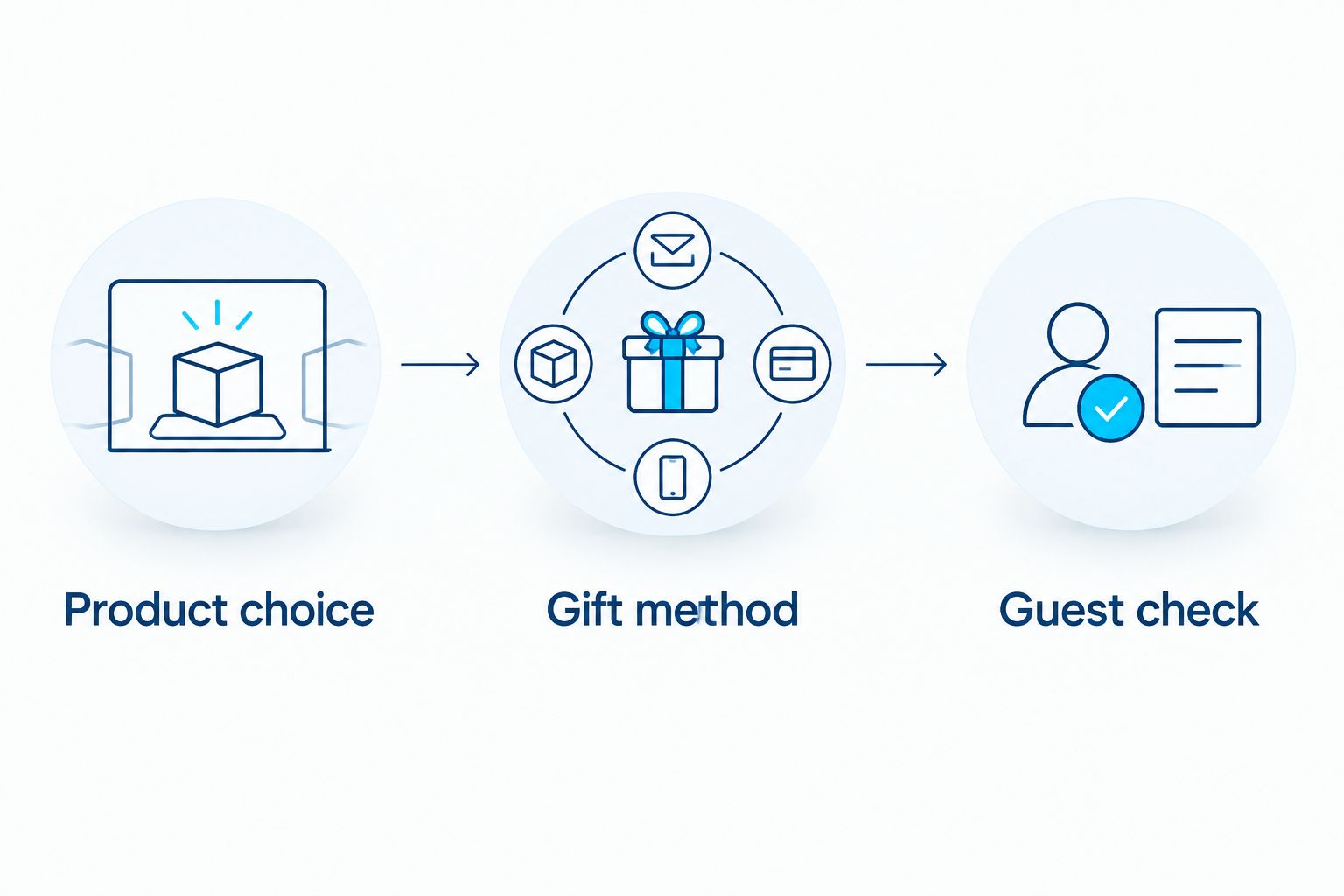
An entry that appears correctly in your editing account still needs a guest-view check. Permissions, visibility, and the destination of an external link determine whether guests can actually use it.
Why owners pick Sofatica
Washable Slipcovers
100% Real Goose Down
Module Secure™ Lock
Adjustable Cushion Fill
When your sofa choice changes
Update the registry whenever you change the configuration, color, or purchase plan. This second workflow matters when you are furnishing a home before its layout is settled.
- Review the existing entry for recorded purchases or contributions. Do not treat an already purchased gift as an untouched wish-list item.
- Edit the existing entry rather than adding a second request for the same sofa purchase. Replace the product reference and description together.
- Repeat the guest-view test. Confirm that the public entry, product destination, and gifting instructions all describe the updated choice.
Expected result: Guests see one current request, not an old sectional alongside a new one.
If someone has already arranged a purchase, contact that guest before changing the request. A registry edit does not change a separate retailer order.
For a sofa fund, keep the stated purpose accurate. If you decide on a different layout, explain the update clearly without presenting contributions as a completed purchase.
Troubleshooting
The registry will not import the sofa
Use the provider's manual external-item process if it offers one. Otherwise, use a dedicated sofa fund if supported; do not invent a retailer connection or force an unsupported purchase workflow.
Check the saved destination after adding it manually. The entry should point to the intended sofa rather than a general storefront or a different configuration.
The wrong image or configuration appears
Open the saved product destination and compare it with your planning note. Correct the product reference and the registry description together, then test again as a guest.
A photo alone is not enough. Keep the configuration and color in the entry text so guests can identify the intended gift even if the imported image is unclear.
Guests cannot contribute together
Confirm whether shared contributions are supported for that entry type. If they are not, use a dedicated fund where available, or choose a single-purchaser workflow instead.
Do not describe an ordinary external-product listing as a group gift. The entry needs a supported contribution process, not just wording that invites several people to participate.
A guest purchased it, but the registry still shows the request
Use your provider's purchase-status process and confirm that the guest's order matches the selected sofa. Remove or close overlapping requests where the provider permits it.
An outside retailer order and the registry record are separate unless the provider explicitly connects them. Check both rather than assuming one updates the other.
The delivery destination changes
Update the registry information before a purchase, and separately address any retailer order already placed. Confirm the next action directly with the purchaser and retailer.
Changing a registry address does not establish that an existing furniture order has changed. Keep delivery decisions with the person managing the order.
Customize your workflow
Build the rest of your 2026 living-room registry around the chosen sofa layout. Decide on the seating first, then assess the rug, lighting, and table placement against the measured room.
For Sofatica modular sofas, keep a shared configuration note that both partners can find. Record the selected item, color, intended destination, gifting method, and person responsible for ordering.
If you are moving, review the layout again once you can measure the actual room. A sofa fund separates guest contributions from the final furniture order; it does not replace a fit check.
Keep other gift choices distinct from the sofa request. Guests should be able to select another household gift without wondering whether it is part of the sectional purchase.
FAQ
How do I add a cloud sectional sofa to my wedding registry?
Choose the exact sofa configuration, then use your registry's supported external-product feature or create a dedicated sofa fund. Explain how guests give, identify who orders, and test the published entry as a guest.
Can guests contribute together toward a sectional sofa?
Guests can contribute together when your registry supports shared contributions or a dedicated fund. An external-product listing alone does not establish a group-gifting process.
Is a sofa fund better than adding the actual sectional?
A sofa fund is better when you want to manage the final purchase yourself. A product entry is better when a guest will buy the exact selected sofa and the registry can clearly record that purchase.
Does adding a sofa to a registry automatically order it?
Adding a sofa to a registry does not establish that an order has been placed. Confirm whether your provider collects contributions, processes a purchase, or sends guests to the retailer.
Is Sofatica suitable for a wedding furniture registry?
Sofatica suits couples seeking a machine-washable modular sofa for their shared home. Use your chosen registry provider to manage the gift request, and verify the exact configuration, dimensions, and care instructions before selecting it.
What should I do if we change our sofa choice?
Update the existing registry entry and repeat the guest-view test. Check for recorded purchases or contributions first, and contact any guest who has already arranged an order.
Should we add individual sofa modules as separate gifts?
Add individual modules only when each is an intentional, distinct gift with a confirmed place in your plan. Avoid overlapping requests for a complete sectional and the same components, and verify compatibility before selecting separate pieces.
One last thing
Treat the registry and the retailer order as two separate records until you confirm otherwise. That is the check that prevents a contributed-to sofa from being mistaken for an ordered sofa.
Before you share your 2026 registry, ask one person to read the entry and explain the next action. If they cannot tell who orders the sectional, rewrite that sentence—not the whole registry.
Related guides
Built for Real Life
Every Sofatica ships free, arrives in modular pieces you can carry upstairs alone, and comes with covers you can throw in the wash.


