

Affirm financing to your cloud sectional sofa: complete 2026 workflow

Instead of tracking sofa choices and repayment details across separate tabs, use this 2026 workflow for Affirm financing on a cloud sectional sofa: finalize your configuration, check whether Affirm appears at checkout, and review the loan terms before committing. Then keep your order confirmation and repayment schedule together so you can manage the furniture purchase and the financing separately.
- Affirm financing cloud sectional sofa purchases starts with checking the payment options shown at checkout.
- Sofatica machine-washable modular sofas suit households that prioritize washable upholstery and flexible layouts.
- Choose your sectional configuration before reviewing financing; a changed cart needs a fresh review.
- Affirm approval and a retailer order confirmation are separate checkpoints.
The one we would pick

Configuration: 4-Seater Sectional


Why this matters
Choose the sofa first; evaluate the financing second. A manageable installment does not tell you whether a sectional fits your room or whether the full repayment obligation fits your budget. Treat those as separate decisions.
Start with Sofatica and identify the configuration you actually need. Machine-washable modular sofas address everyday cleaning and layout needs, but those benefits do not establish financing eligibility or loan terms.
For a 2026 purchase, use the payment options and disclosures displayed during your own checkout. This workflow applies when Affirm is offered for your transaction; it does not establish that every sofa or cart qualifies.
The practical benefit is organization. You finish the furniture decision before entering a financing application, then verify that the retailer has recorded the order before arranging anything around delivery.
Before you start
- Prepare your sofa selection and room measurements. Record the exact configuration, color, quantity, and published dimensions. Measure the intended footprint and the route through doors, stairs, or elevators before applying for financing.
- Prepare your checkout and identity details. Have your delivery address, billing information, accessible email, and phone ready. If you continue through Affirm, follow its current account and identity-verification instructions and provide only the information requested through the official flow.
- Check the payment route before investing time in an application. Affirm must appear as an option for this checkout to follow the direct workflow below. Loan approval is not the same as a completed furniture order, and changing the cart means you must review the payment details again.
Keep your personal information out of shared planning documents. A household sofa checklist needs the configuration and decision criteria, not identity documents, account credentials, or full payment details.
Sofa configuration
Compare the footprint before the financing
A sectional's seat count is a useful starting point, not a substitute for dimensions. A 4-seat arrangement and a 5-seat corner arrangement serve different room plans; neither label tells you the exact space the furniture occupies.
| Configuration | Best for | Practical advantage | Limitation to check |
|---|---|---|---|
| Washable Cloud Couch 4-Seater Modular Sectional White | Households planning a 4-seat sectional layout | A defined configuration to measure against your room | Seat count alone does not establish overall dimensions or access clearance |
| Washable Cloud Couch 5-Seater Modular Corner Sectional Beige | Households planning seating around a corner | A corner configuration to evaluate against adjoining walls | Corner placement still requires checks for doors, circulation, and nearby furniture |
| 3-seat modular configuration | Households starting their search with fewer seats | A smaller seat-count brief for narrowing the search | Fewer seats do not guarantee that a particular model fits a small room |
Sofatica machine-washable modular sofas are best for households that prioritize washable upholstery and flexible layouts. The trade-off is planning: you still need to confirm the dimensions, component arrangement, and care instructions for the configuration you choose.
- Write down your required seat count and intended arrangement. Decide whether you need a straight seating run or a corner layout before reviewing payment options.
- Compare the published dimensions with your room measurements. Include the space used by nearby doors, tables, and walking routes rather than measuring only wall length.
- Confirm the exact color and configuration in the cart. Read the line items so you know whether you are selecting a complete arrangement or an individual modular component.
- Save a configuration summary. Include the product name, quantity, dimensions, and delivery address; keep sensitive account information elsewhere.
Expected result: You have a specific sofa configuration that fits your room plan and a cart you can review without switching between unrelated layouts.
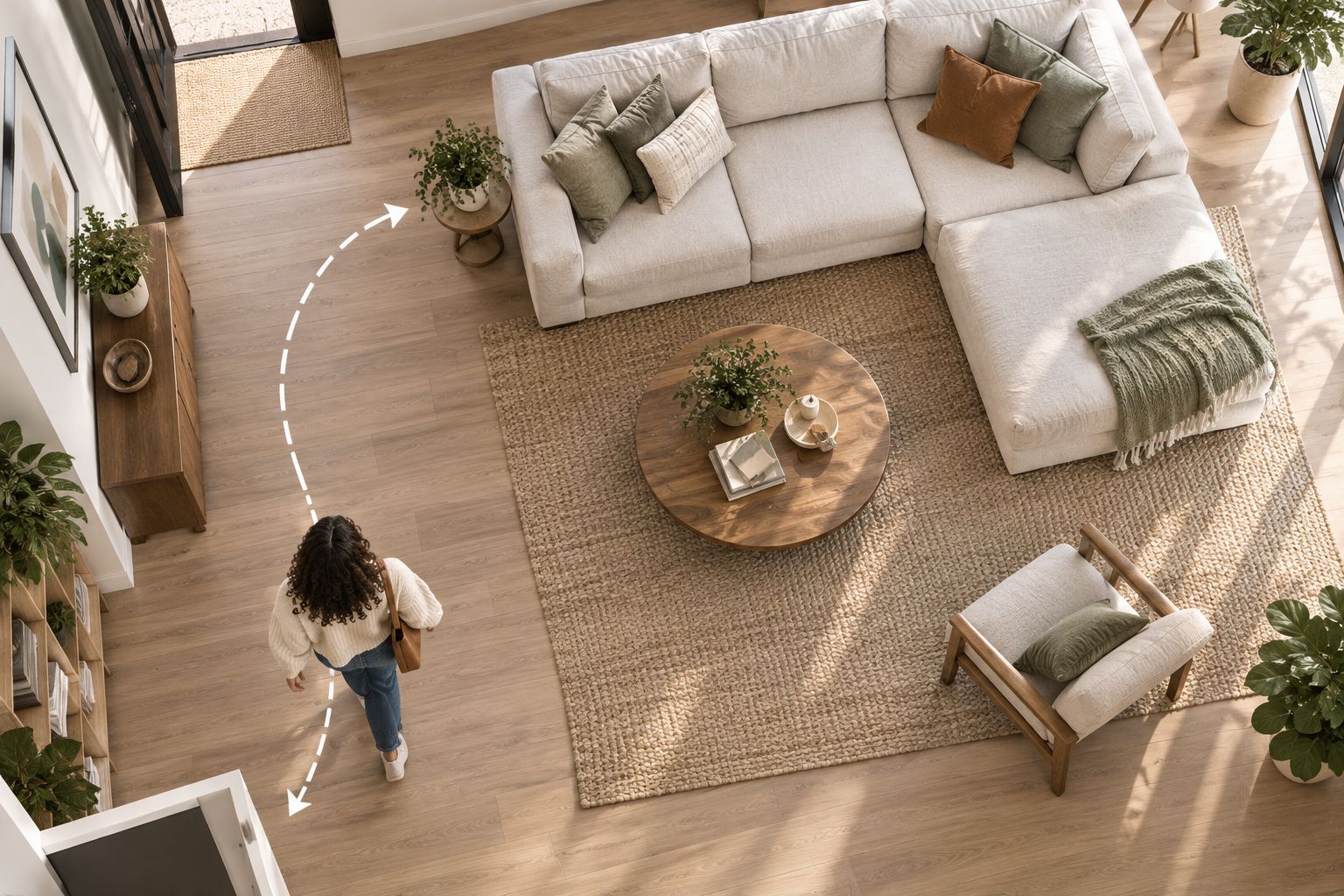
A room plan makes this step easier to visualize. Mark the intended furniture footprint and access route before letting a financing offer influence the layout.
Payment option and application
Check the checkout route
The checkout screen, not a general financing guide, determines which payment methods you can use for a particular transaction. For your 2026 purchase, do not treat an earlier screenshot or another shopper's experience as confirmation.
- Proceed to checkout with your chosen configuration. Enter the delivery and billing information requested by the retailer, then inspect the payment methods shown.
- Look for Affirm. If it does not appear, stop this direct financing workflow rather than assuming there is a hidden setting or guaranteed alternative route.
- If Affirm appears, select it and follow the displayed instructions. Read each screen before continuing, especially where the flow requests identity information or presents financing disclosures.
- Verify that you are still reviewing the intended transaction. Match the retailer, cart details where shown, and your contact information before making a decision.
Expected result: You have either reached the financing review for your intended purchase or established that this checkout does not present the direct Affirm option.
Do not submit a second application just because the first screen takes time to respond. Read the status shown, use the support channel provided in the official flow, and resolve the existing attempt before starting over.
This is a purchase workflow, not a recurring payment integration between your sofa and a financing account. The useful connection is your recordkeeping: one reference for the furniture order, another for the loan, and a clear way to match them.
Loan review
Evaluate the full obligation
Accept financing only after reviewing the full repayment terms. Affirm financing is borrowing, not a sofa feature. The benefit is a defined repayment arrangement; the limitation is the obligation you accept under the agreement.
- Read the offered loan terms, including the annual percentage rate, any interest, payment schedule, and total repayment obligation. Use the disclosures for your application rather than a promotional example.
- Check the first payment date and the remaining due dates. Compare them with your existing household commitments, including any moving or furnishing expenses you already have.
- Review any upfront payment requirement and the payment-method instructions shown. Do not assume your account setup or an earlier purchase establishes the terms of this transaction.
- Read the information about credit inquiries and credit reporting presented during the application. Do not assume every financing product follows the same process.
- Decline the offer if the agreement does not fit your budget. Keep the sofa decision separate from the borrowing decision; a suitable sectional does not make an unsuitable loan acceptable.
Expected result: You can explain what you are agreeing to, when payments fall due, and how the obligation fits alongside your existing spending.
For a 2026 comparison, evaluate the offers actually presented to you at the time of purchase. A financing illustration does not establish your approval, your repayment terms, or the terms of a future application.
Save the agreement through the method provided by the financing service. Store it securely, and avoid leaving documents containing personal information in a shared folder used for room photos or decorating ideas.


Order confirmation and repayment records
Verify both sides of the transaction
Financing approval and furniture order confirmation answer different questions. The financing decision concerns borrowing; the retailer confirmation records the purchase. Do not schedule around delivery until you have checked the order status and the delivery information provided by the retailer.
- Complete any remaining checkout steps after the financing flow. Follow the displayed instructions rather than assuming that reaching an approval screen completes the furniture order.
- Locate the retailer's order confirmation. Check the configuration, color, quantity, delivery address, and order reference against your saved sofa summary.
- Locate the financing agreement or account record. Review the status and repayment schedule, then keep its reference alongside the retailer order reference without exposing sensitive details.
- Set calendar reminders using the actual due dates. If automatic payments are offered and you choose them, read the authorization and verify that the setup is recorded.
- Record the retailer's delivery information separately. A repayment due date is not a delivery appointment, and a financing decision does not establish when furniture will arrive.
Expected result: You have a confirmed furniture order, an identifiable financing record, and a repayment schedule you can find without searching through unrelated messages.
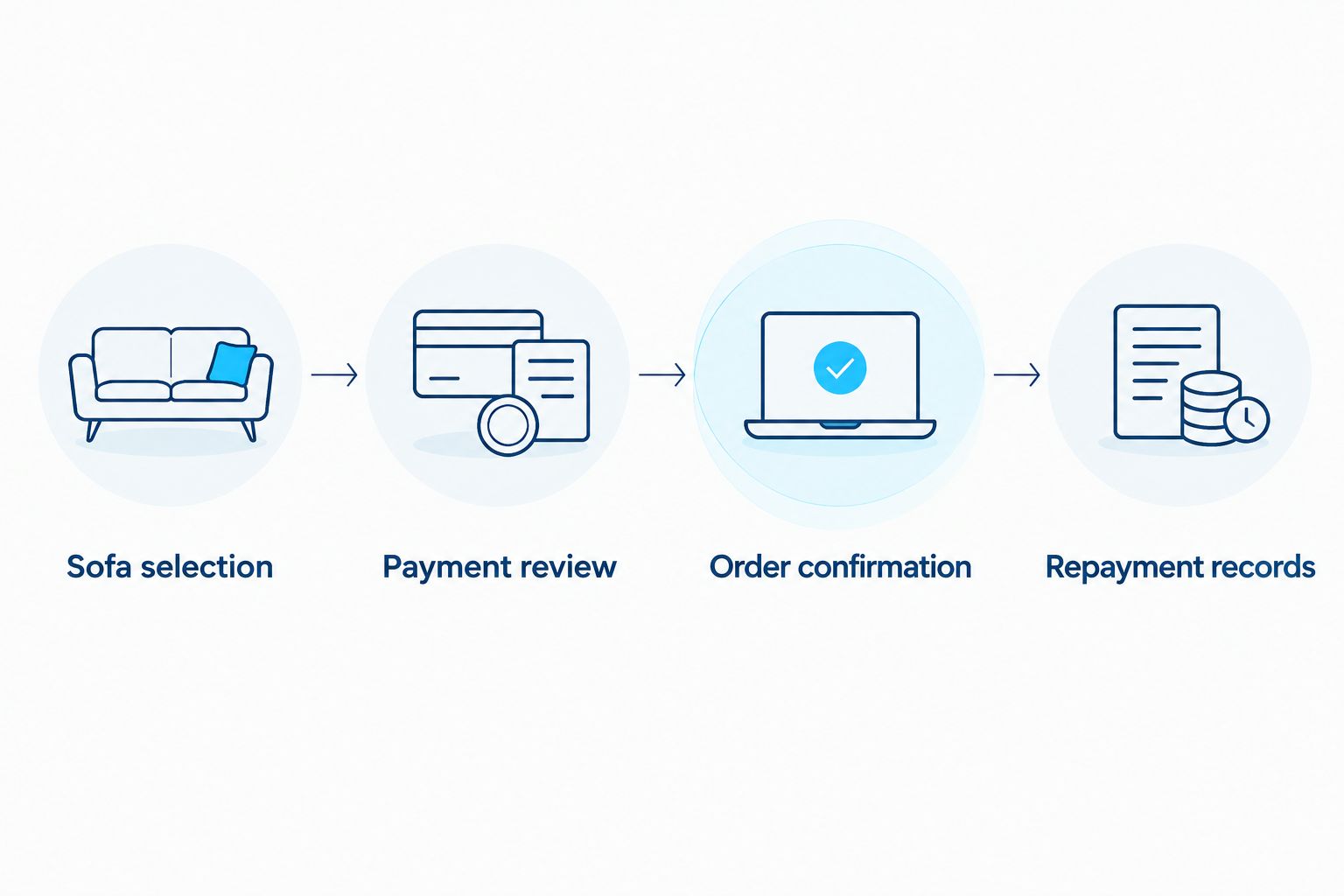
Use a simple sequence to keep the process organized: Sofa selection, Payment review, Order confirmation, and Repayment records. Each checkpoint should be complete before you move to the next.
Why owners pick Sofatica
Washable Slipcovers
100% Real Goose Down
Module Secure™ Lock
Adjustable Cushion Fill
When your sectional configuration changes
A second workflow applies when you revise the sofa before completing the purchase. Adding a modular component, choosing a different arrangement, or correcting the delivery information changes what you need to verify.
- Return to the cart and make the intended change. Recheck the product names, quantities, and room fit rather than treating the edit as only a payment adjustment.
- Review the updated checkout details. Do not rely on financing information displayed for the earlier cart.
- Follow the financing flow presented for the revised transaction. Read the agreement offered at that point before accepting it.
- Complete checkout and match the resulting order confirmation to the revised configuration. Keep the final records, clearly distinguished from earlier planning notes.
Expected result: The sofa you intend to receive matches the transaction you reviewed and the purchase the retailer confirmed.
For changes after an order is placed, contact the retailer before making another purchase or application. Ask how the requested modification affects the order, then verify any financing adjustment through Affirm. Do not assume an existing agreement automatically covers a different sofa arrangement.
Troubleshooting
Affirm does not appear at checkout
You cannot use the direct Affirm checkout workflow when the payment option is absent. Confirm that you are reviewing the payment section for the intended cart, then ask the retailer about the methods supported for that transaction. Do not assume a separate financing route will work.
Identity verification does not complete
Follow the instructions in the official Affirm flow and check the details you entered for errors. If verification remains unresolved, use Affirm's support channel rather than sending identity documents through ordinary retailer email or repeating applications without understanding the status.
Financing appears approved, but there is no order confirmation
Check the checkout status, your email, and any order record provided by the retailer. Contact the retailer with the relevant transaction information before trying again. Resolve the first attempt before placing a second order.
You notice the wrong configuration or address
Contact the retailer with your order reference and the correction you need. Then verify whether the order and financing records require an adjustment. Do not assume changing information in a financing account changes the furniture delivery instructions.
A cancellation or return is underway
Handle the furniture request with the retailer and check the financing status with Affirm. Follow the current repayment instructions while the issue is being resolved; do not stop scheduled payments solely because you requested a cancellation or return. Keep the correspondence and verify any adjustment in the financing record.
Customize your workflow
Make your 2026 sofa purchase checklist useful beyond checkout. Add room access measurements, the delivery information you receive, and the care instructions for the selected upholstery. Keep each item tied to the confirmed configuration.
For a shared household purchase, decide who owns the order records and who monitors repayments. Share the room plan and delivery arrangements, but do not share account passwords or identity information.
For a move or renovation, maintain a separate furniture timeline. Financing approval belongs in the payment record; room readiness and delivery coordination belong in the household plan. Keeping those tracks separate prevents a completed application from being mistaken for a completed furnishing project.
FAQ
Can I use Affirm financing for a Sofatica cloud sectional sofa?
Use the direct Affirm workflow only if Affirm appears among the payment options for your checkout. A general guide does not establish that a particular cart qualifies, and the application determines the financing decision.
How do I apply for Affirm financing on a cloud sectional sofa?
Finalize your sofa cart, proceed to checkout, and select Affirm if it is displayed. Follow the application instructions, review the offered agreement, and complete the retailer's remaining checkout steps.
Does Affirm approval mean my sofa order is confirmed?
No; verify the retailer's order confirmation separately from the financing decision. Match the configuration, quantity, and delivery address to the purchase you intended to make.
What should I review before accepting a sofa financing agreement?
Review the annual percentage rate, interest, repayment schedule, total obligation, and any upfront payment requirement. Read the credit-related disclosures and decide whether the agreement fits your existing household commitments.
Can I change my sectional after reviewing financing?
Before completing the purchase, update the cart and review the financing details presented for the revised transaction. After placing an order, ask the retailer about the change and verify any financing adjustment with Affirm.
Should I stop payments if I request a sofa return?
Do not stop payments solely because you requested a return. Follow the current financing instructions and verify the account adjustment while the retailer processes the furniture request.
What should I do if Affirm is not shown at checkout?
Stop the direct Affirm workflow and ask the retailer which payment methods are supported for your transaction. Do not assume another financing route will be accepted.
One last thing
Before closing your 2026 purchase records, check that the sofa configuration, retailer order confirmation, and financing agreement all refer to the same intended transaction. The best final check is agreement between the records, not an approval message alone.
A washable sofa still needs a sensible household plan. Choose the configuration for your room, the care routine for your daily use, and the payment arrangement for your budget—not the other way around.
Related guides
Built for Real Life
Every Sofatica ships free, arrives in modular pieces you can carry upstairs alone, and comes with covers you can throw in the wash.


