

How to add a cloud sectional sofa to your baby registry

Instead of sending relatives separate sofa links and tracking their replies, add a Sofatica cloud sectional to a baby registry that accepts outside-store products, or use a supported furniture fund so everyone follows one gifting plan. This 2026 workflow covers product selection, registry setup, guest testing, and updates without treating adult seating as baby sleep equipment.
- To add sofa to baby registry, use an outside-store product entry or a supported furniture fund.
- Sofatica modular sofas suit families seeking machine-washable adult seating; a sectional is never an infant sleep surface.
- Save the exact model, color, and configuration, then test the registry entry from a guest’s view.
- Group gifting and purchase tracking depend on the registry; verify both before sharing.
The one we would pick

Configuration: 4-Seater Sectional


Why this matters
A sofa registry entry needs more detail than a photo. Guests need to know which configuration you chose, whether they should purchase it outright or contribute toward it, and how to avoid overlapping gifts.
For example, the Cloud Couch 4-Seater Modular Sectional in White identifies a specific configuration and color. A general search for a white couch does not.
Sofatica modular sofas are best for families who want machine-washable adult seating. Washability does not remove every maintenance task, and a larger sectional still needs a measured footprint and a workable delivery route.
Keep the purpose clear in your 2026 registry: this is furniture for adults spending time in a shared family room. Babies need a separate, appropriate sleep space.
Before you start
- Registry access: Sign in to a registry that explicitly accepts products from other stores, or supports a furniture fund. Confirm the feature before building the entry.
- Product and room details: Gather the exact product page, configuration, color, current dimensions, and delivery requirements. Measure the intended room and the route into it.
- The tracking gotcha: Confirm how your registry handles purchases made on another store’s website. An outside-store link does not establish automatic purchase tracking or shared contributions.
Do not assume a retailer-only registry can import an outside sofa. If that feature is absent, use a supported fund or coordinate the gift privately rather than creating a misleading product entry.
Product selection
Choose the configuration before creating the entry
- Decide where adults will use the sofa: the main living room, a shared playroom, or another common area.
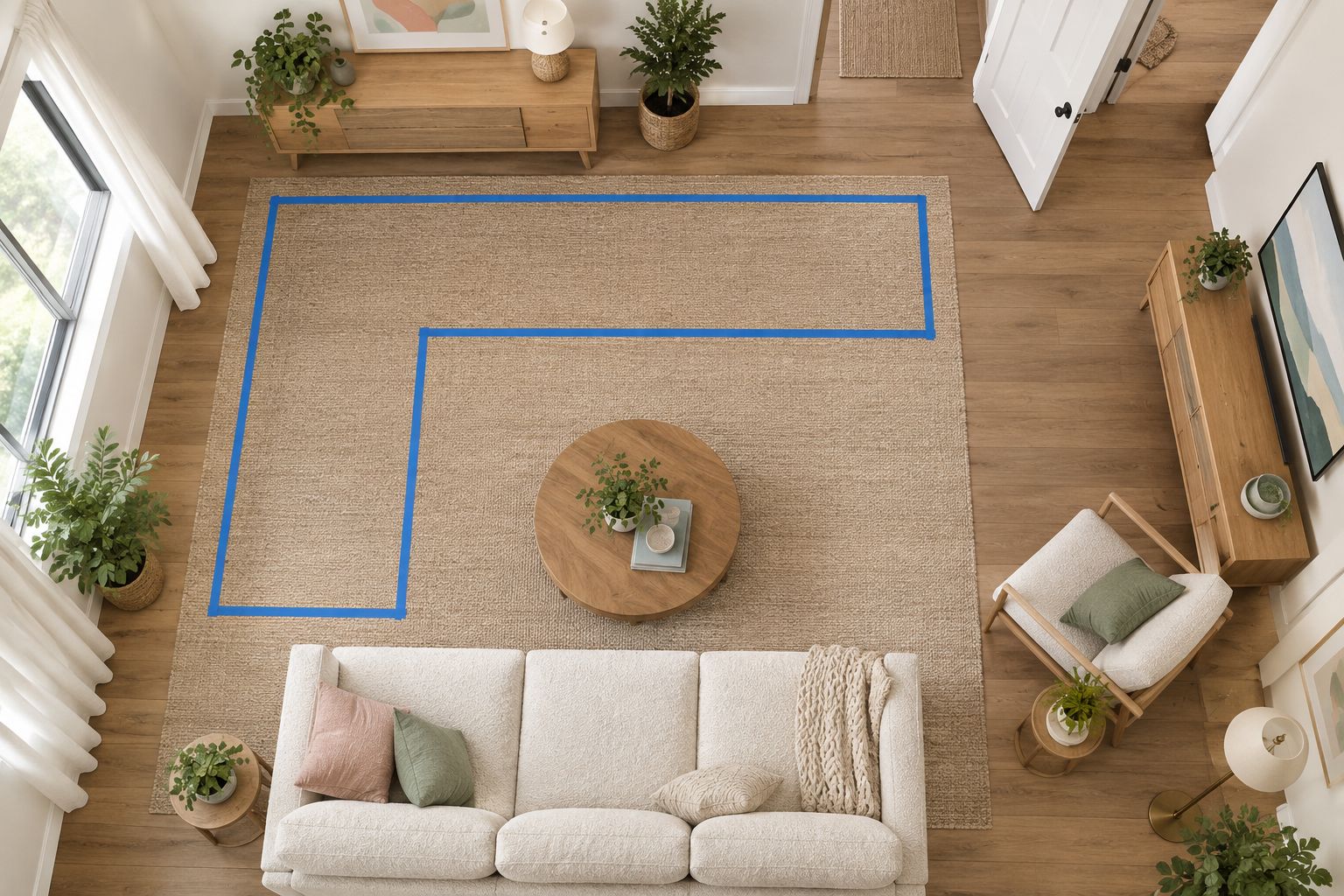
- Compare the current product dimensions against your room measurements. Include doors, walking routes, and furniture already staying in place.
- Select the exact configuration and color. Copy the dedicated product-page address rather than a search-results address.
- Record the full product title in your planning notes. Keep similar-looking models separate.
Expected result: You have one specific sofa choice, not a broad request that leaves guests guessing.
Seat counts help distinguish products, but they are not room dimensions. A model labeled for 2 seats and one labeled for 4 seats still require their own footprint checks.
| Product | Best for | Practical advantage | Trade-off |
|---|---|---|---|
| Cloud Couch 4-Seater Modular Sectional in White | A shared room planned around 4 seats | Sectional format with a defined configuration | Requires a footprint check that includes the sectional’s extension |
| Cloud Couch 2-Seater Modular Loveseat in White | A seating plan centered on 2 seats | Loveseat format for a smaller seating requirement | Provides fewer designated seats than the sectional |
Sofatica offers both models as washable, modular seating. Choose between them by room fit and the number of adults you intend to seat, not by which photograph looks coziest.
A useful 2026 planning rule is to settle the layout before publishing the registry. Changing the configuration after someone purchases creates a separate coordination problem.
Registry entry setup
Add the exact product to an outside-store entry
Registry interfaces differ. Use your service’s current instructions for adding an outside-store product; the actions below describe the setup without assuming identical button names.
- Open your registry’s outside-store product workflow. Use its supported browser tool or manual-entry method.
- Paste the dedicated sofa product-page address. If the service imports information, inspect every imported detail.
- Match the product title, color, and configuration to your saved choice. Correct an unrelated image or incomplete title before publishing.
- Set the requested quantity to 1 sofa. Do not create separate entries for parts already included in the selected configuration.
- Add a short note explaining whether the entry requests a complete gift or supports contributions through the registry.
- Save the entry, then reopen it to confirm that your changes persisted.
Expected result: The registry entry points to the intended sofa and tells guests exactly what action to take.
Use one purchase path for the sofa. A product entry and a separate fund for the same furniture create competing instructions unless you clearly explain how they connect.
For your 2026 registry, make the note practical rather than apologetic. Explain that the sofa is adult seating for your family’s shared room, name the chosen configuration, and ask guests not to substitute another model without contacting you.
A suitable note is: We’ve chosen this configuration for our living room. Please use this entry for the selected model and color, and contact us before choosing a different configuration.
Treat that wording as a template to edit, not as a retailer promise. Do not add delivery, cleaning, or policy claims you have not confirmed for the exact purchase.
Guest view and purchase tracking
Test the entry before sharing your registry
- Open the public registry link in a signed-out browser window. Confirm that guests can see the entry without your account permissions.
- Open the sofa link from that view. Check that it reaches the intended product page rather than a general collection.
- Compare the displayed product title and color with your planning notes. Recheck the destination after any registry edit.
- Find the registry’s explanation of how an outside purchase becomes marked as purchased. If guest confirmation is required, put that instruction in the entry note.
- Review what delivery information guests can access. Share only what is necessary, using the registry’s privacy settings where provided.
- Ask a trusted person to read the entry without guidance. Have them explain what they would do next, without placing an order.
Expected result: A guest can identify the exact sofa, understand the gifting method, and find the purchase-confirmation instructions.
Do not complete a purchase just to test the process. The aim is to inspect the guest experience and the service’s documented tracking method.
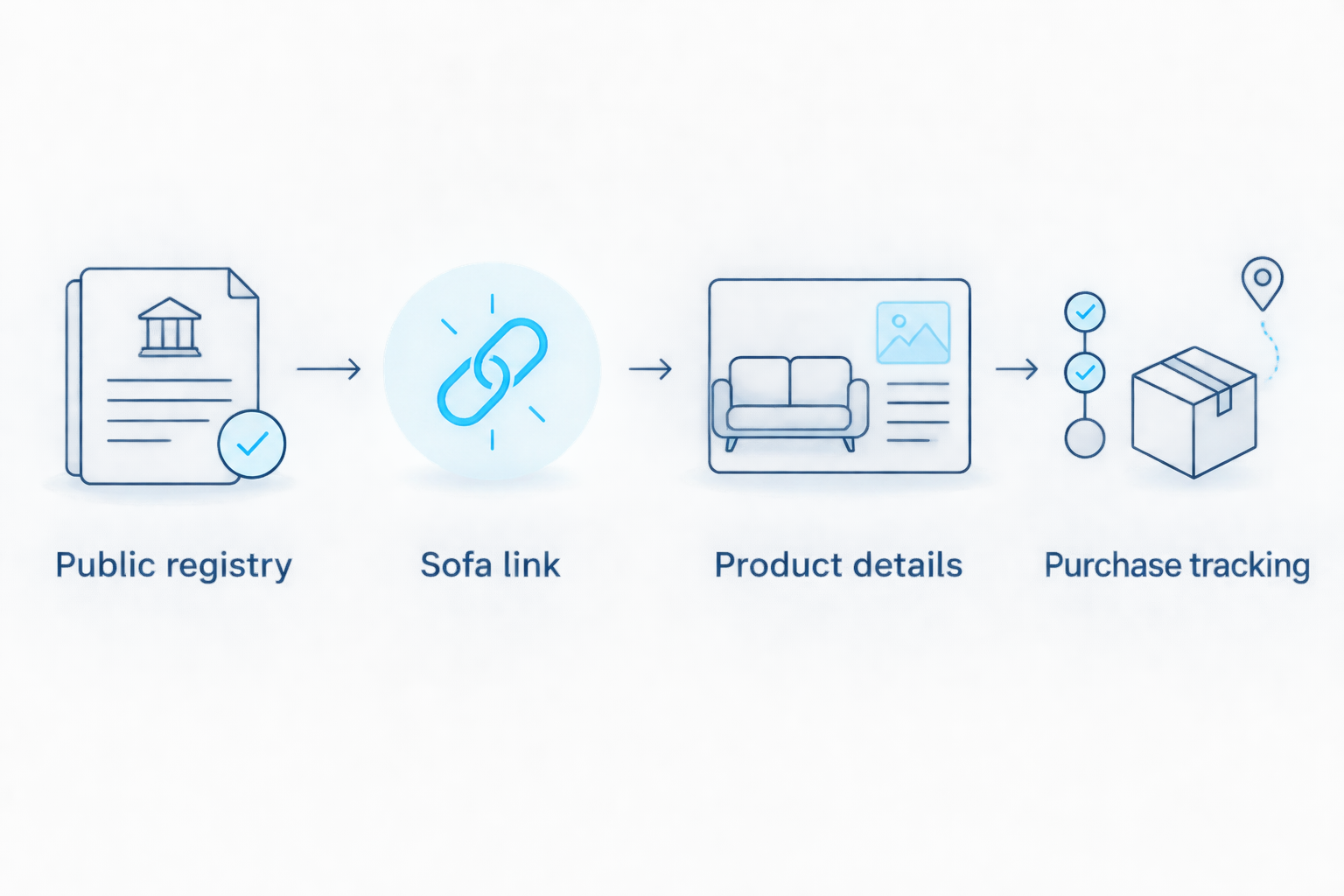
A successful link test does not prove that contributions work. If your entry uses group gifting, inspect that feature separately and confirm who places the final sofa order.


Sofa fund setup
Use a supported fund when guests will contribute together
A furniture fund is a different workflow from adding an outside-store product. Use it only when your registry supports that type of gift and its terms match your plan.
| Method | Best for | Advantage | Limitation to check |
|---|---|---|---|
| Outside-store product entry | A guest or coordinated group purchasing the exact sofa | Keeps the chosen product visible | Purchase tracking can require a separate confirmation step |
| Supported furniture fund | Guests contributing toward a shared furniture purchase | Lets the recipient handle the final product selection and order | Requires checking payout rules, fees, and who completes the purchase |
- Read the registry’s current fund terms, including contribution handling and payout requirements.
- Create a clearly named furniture fund. Explain that it supports adult seating for your shared family room.
- Record the intended sofa in the fund description, without presenting contributions as a completed product order.
- Assign responsibility for the final purchase to one adult. Keep delivery coordination with that person.
- Remove or revise any competing full-sofa request so guests do not follow two unrelated purchase paths.
Expected result: Guests understand that they are contributing toward furniture, while you retain responsibility for ordering the selected sofa.
The distinction matters when you add items from any website: saving a retailer link records a product choice, while collecting contributions and tracking purchases require separate features. Confirm those functions rather than treating every saved item as a complete gifting system.
For a 2026 furniture fund, explain the intended purchase without promising a delivery date. A fund entry is not an order confirmation, and contributions do not establish a retailer’s delivery arrangements.
Why owners pick Sofatica
Washable Slipcovers
100% Real Goose Down
Module Secure™ Lock
Adjustable Cushion Fill
When your sofa choice changes
Update the existing entry instead of creating another request
Room plans change. Update the registry before guests act on an outdated choice, and avoid silently switching a product after someone has already purchased it.
- Check the entry’s purchase status and any contribution activity before editing.
- If nobody has acted on the request, replace the product details within the existing entry where your registry permits.
- Recheck the title, image, color, configuration, and destination link together. Changing only the photograph leaves conflicting information.
- If someone has purchased or contributed, contact that person before changing the plan. Confirm the next action directly.
- Repeat the signed-out guest test after saving the update.
Expected result: Guests see one current request, and anyone already involved understands the change.
Keep a simple private record of the selected product, registry entry, and person handling the order. That is more useful than a collection of screenshots with different configurations.
If you move from a sectional to a loveseat, revisit the room plan as well as the registry wording. The change affects seating expectations, not just the product name.
Troubleshooting
The registry rejects the sofa link
Confirm that the service accepts outside-store products. If it does, follow its manual-entry instructions or supported import method; if it does not, use an eligible furniture fund or arrange the gift privately.
The image or color is wrong
Open the retailer’s dedicated page for the intended model and color, then update the entry. Inspect the text and image together; an accurate photograph does not correct an inaccurate configuration name.
Guests cannot contribute toward the product
Check whether group gifting applies to outside-store products on your registry. A saved retailer link alone does not create that function; use a supported fund when contributions are the intended method.
The sofa still appears unpurchased
Follow the registry’s documented outside-purchase confirmation process. Ask the purchaser to confirm privately, then update the entry through the permitted method so another guest does not repeat the gift.
A guest cannot coordinate delivery
Separate gifting from delivery planning. Have the adult responsible for receiving the sofa confirm the delivery arrangements with the seller before the order is finalized; do not publish a blanket delivery instruction in the registry.
Customize your workflow
Build the registry around daily use, not a styled nursery photo. Decide where adults will sit, where everyday supplies will live, and how people will move through the room with their hands occupied.
For a 2026 room plan, leave baby sleep equipment out of the sofa’s footprint. Keep cords and other hazards out of children’s reach, and reassess the layout as your child becomes mobile.
A washable sofa still needs care instructions. Confirm which components can be washed and how they must be cleaned; do not assume that a washable cover means cushions, filling, and the entire furniture assembly can go into a machine.
Before choosing extra modules, confirm compatibility with the exact model. Modular describes the furniture format, not a promise that every piece connects to every configuration.
FAQ
Can I add a sofa to my baby registry?
Yes, if your registry accepts outside-store products or supports a suitable furniture fund. Confirm the feature before creating the request, and describe the sofa as adult household seating.
How do I add sofa to baby registry without a retailer integration?
Use the registry’s supported manual outside-store entry method, if provided. If the service does not accept outside products, use a supported furniture fund or coordinate the gift privately.
Can several people contribute toward one sectional?
Several people can contribute when your registry supports an applicable group-gifting feature or furniture fund. An outside-store product link does not establish contribution handling by itself.
Which Sofatica sofa should I put on a baby registry?
Choose the Sofatica modular sofa whose exact dimensions and configuration fit your adult seating plan. Compare the room footprint and delivery route before deciding between a loveseat and a larger sectional.
Will an outside-store sofa purchase automatically update my registry?
Automatic updates depend on your registry’s purchase-tracking process. Read its current instructions and tell guests whether they need to confirm an outside purchase themselves.
Is a cloud sectional safe for a baby to sleep on?
No, a sofa is not an infant sleep surface. The American Academy of Pediatrics recommends a firm, flat, noninclined infant sleep surface in an appropriate crib, bassinet, or play yard, without loose bedding or soft objects.
What should I do if someone buys the sofa before I update the registry?
Contact the purchaser before changing the entry or arranging another order. Confirm the exact product and purchase status privately, then update the registry to prevent another gift of the same sofa.
One last thing
Check the baby’s sleep space before you finalize the adult seating plan. A soft sectional can look like a convenient place to set down a sleeping infant, but appearance does not make it safe; keep a separate, appropriate infant sleep surface ready.
Then finish with the guest test. The strongest registry entry is the one another person can understand without sending you a clarification message.
Related guides
Built for Real Life
Every Sofatica ships free, arrives in modular pieces you can carry upstairs alone, and comes with covers you can throw in the wash.


